


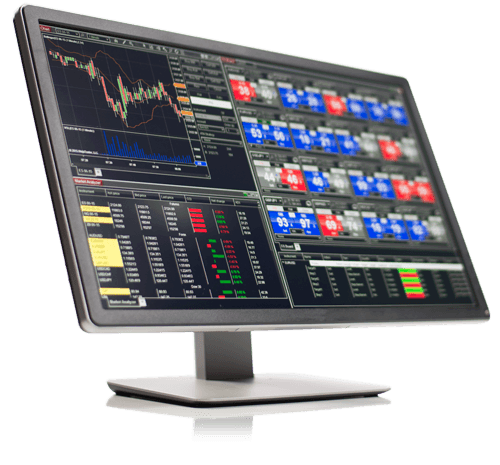
NinjaTrader is a professional trading platform widely used for futures, forex, and advanced market analysis. This guide is designed for traders who want a practical, experience-driven walkthrough—from initial setup to charting, execution, and performance optimization. Whether you are new to NinjaTrader or refining your workflow, the focus here is on real-world usage, common pitfalls, and efficient platform operation.

What Is NinjaTrader and Who Is It For?
NinjaTrader combines advanced charting, order execution, strategy development, and market analysis in a single platform. It is particularly popular among futures traders and those who rely on technical analysis or automated strategies.
- Best suited for active and technically focused traders
- Supports simulation and live trading environments
- Offers extensive customization through indicators and NinjaScript
Installing NinjaTrader and Initial Setup
Step 1: Download and Installation
- Download NinjaTrader from the official website.
- Confirm your system meets the minimum Windows and hardware requirements.
- Complete installation using default settings unless you have specific needs.
Step 2: Simulation vs Live Trading Accounts
NinjaTrader provides a simulation environment that allows traders to practice without risking capital. New users should spend time in simulation before transitioning to a live brokerage account.
Step 3: Connecting Market Data
- Select a supported market data provider based on your instruments.
- Open the Control Center and navigate to Connections.
- Verify that real-time data is active before trading.
Understanding the NinjaTrader Interface
Control Center
The Control Center acts as the command hub for NinjaTrader. It manages connections, orders, accounts, strategies, and workspaces.
Workspaces
- Create dedicated workspaces for different strategies or instruments.
- Save layouts frequently to preserve configurations.
Charts and Indicators
- Open charts from the Control Center using New > Chart.
- Add indicators via right-click > Indicators.
- Use consistent timeframes to avoid conflicting signals.
Strategy Development and Backtesting
NinjaTrader allows traders to develop and test strategies before deploying them in live markets. Proper backtesting helps identify weaknesses but must be interpreted carefully.
- Use the Strategy Analyzer for historical testing.
- Review drawdowns, win rate, and expectancy—not just net profit.
- Avoid over-optimizing strategies to past data.
Order Execution and Risk Management
Effective execution and risk control are essential regardless of strategy complexity.
- Use stop-loss and profit-target orders consistently.
- Size positions based on predefined risk rules.
- Understand order types before using advanced automation.
Performance Optimization Tips
- Close unused charts and workspaces.
- Set indicators to calculate on bar close when possible.
- Restart the platform periodically to clear memory usage.
Common NinjaTrader Issues and Solutions
- Data discrepancies between backtest and live results
- Strategies not executing due to incorrect account selection
- Platform lag caused by excessive indicators or tick replay
Official Learning and Support Resources
- NinjaTrader Platform Training
- NinjaTrader user documentation and community forums
When Traders Consider Custom NinjaTrader Development
As traders progress beyond built-in tools, they may require custom indicators, automated strategies, or performance-specific optimizations. At this stage, working with experienced NinjaTrader developers can help avoid reliability, execution, and performance issues.




0 Comments